

Customer Center
A User and Billing management system was built in the late 90s for Retail & Wholesale users of domain & web hosting Products using a control panel. Over the years, many new features were added, rendering the system we now know as OrderBox, slow and difficult to use. A decade later BigRock and DNS Management product was launched and added to “Order Box”, which is the backbone even today.
Mid of 2017, a small team was setup to work with an ambitious project to re-engineer the legacy Control Panel. The product was named “CUSTOMER CENTER”
My Role
I lead UX Design and collaborated with different stakeholders ( Business Unit Head, Marketing Head, Brand Manager, Product Manager, Support Team, Core & Frontend Developers ). I was also responsible for Research, Prototyping, IA, Wireframing and User Testing (The application is still under development)
Partnered with project managers, brand manager and other stakeholders to uncover insights and translate concepts into features that address customer behaviours and motivations.
Created IA’s, wireframes and prototypes to share the vision, design principles and content strategy. This helped to evangelise ideas, gain alignment and drive decision making.
Defined the product alongside partners in the project management team. I evangelised customer goals and balanced business goals. I prioritised and negotiated features for launch and beyond.
Collaborated with teams and their PM partners to translate product features for each platform context.
Designed for responsive screens. I executed journeys, wireframes, prototypes and design specs.
Tested with more than 50 users both internal / external for validation, using Usertesting.com
Designed and presented works to gain buy‐in from executives, senior stakeholders and many other amazing teams throughout the project lifecycle.
Analysed the product with project management partners post launch, validating and iterating the design.
A Perfect Product is a Fine Balance Between the User's Need & Product's Requirement Neither Can Survive Alone
The Challenge
Our goal for the project was to recapture the magic of the early days Order box. However, we weren't trying to revert to the past. Our ambitions were to create a Better User Experience, Simplicity with strong foundation that embraced a rapidly evolving business and a more diverse user base. This would in turn drive better Customer Success and low churn rate.
High Level Goals
- Easy to Use, on All Devices
- Getting Products Organized
- Useable for Range of Personas Young and Old
- Less is More (Added at a Later Stage of the Product)
- Adding Revenue Models
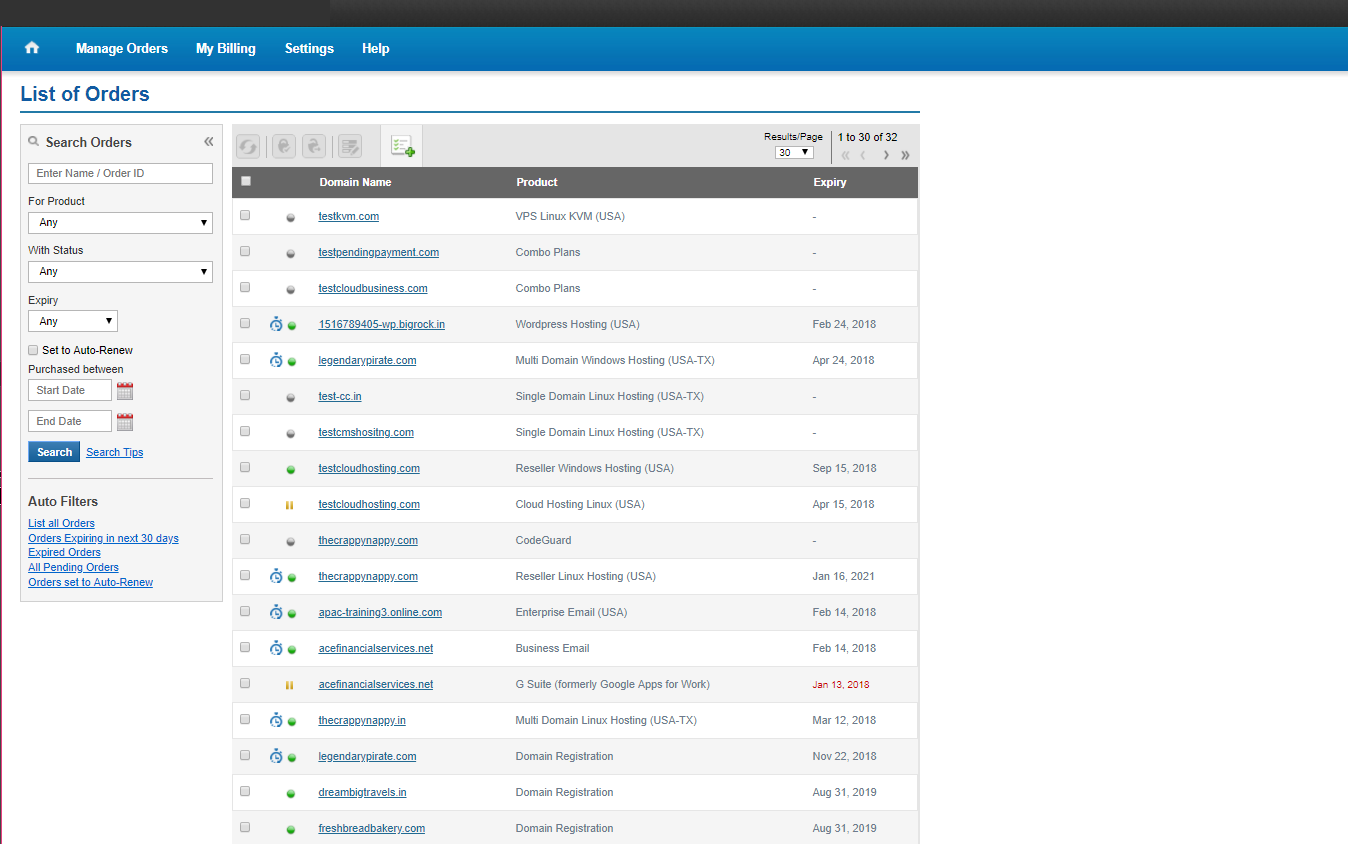
Legacy Control Panel
A User and Billing management system was built in the late 90s for End Users & Resellers that also allowed users to manage domain and hosting products using a control panel. Over the years, many new features were added, which resulted in the system becoming slow and difficult to use.
Gathering The Blocks
Major Challenge : No tracking metrics existed to gather customer behaviour insights on the legacy system.
We overcame this challenge by
- Reaching out to the Customers
- Talking to Support who are in touch with the customers
- Doing Competitor Analysis
Findings from the Initial Study
We Reached out to nearly 30 users over the phone, alongside 6 from our “Customer Support Team” two from each unit ( Tele Support / Chat Support / Ticket Support ). Competitor analysis was done for GoDaddy, Namecheap, crazydomains.
Issues
- ADifficulty in finding the product, as the Products are listed in a random order
- BDifficulties in renewal, as users had to get in side of each product to see if it had to be renewed.
- CDifficulties in creating a ticket, if a user had to create a ticket, he/she had to navigate to multiple levels.
- DDNS was the biggest problem as users were naive and did not know what various records “ A / AAAA / CNAME / NS “ meant or where to find it.
- EMultiple Login was required.
- FUsers return primarily for four reasons — i) To Renew, ii) To Update Contact Information, iii) To Manage DNS, NS Settings, iv) To File Ticket.
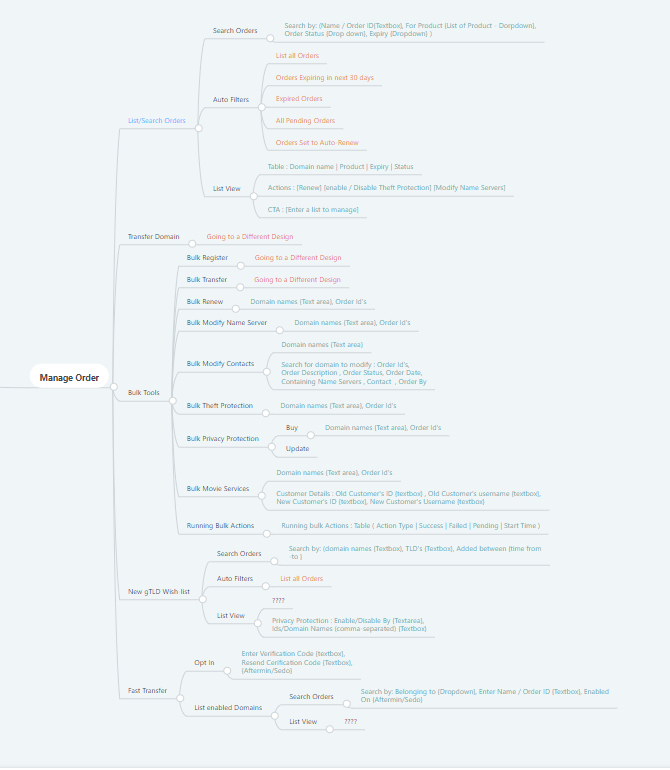
Flow of Information
Finding the existing architecture was important, to define the new one.
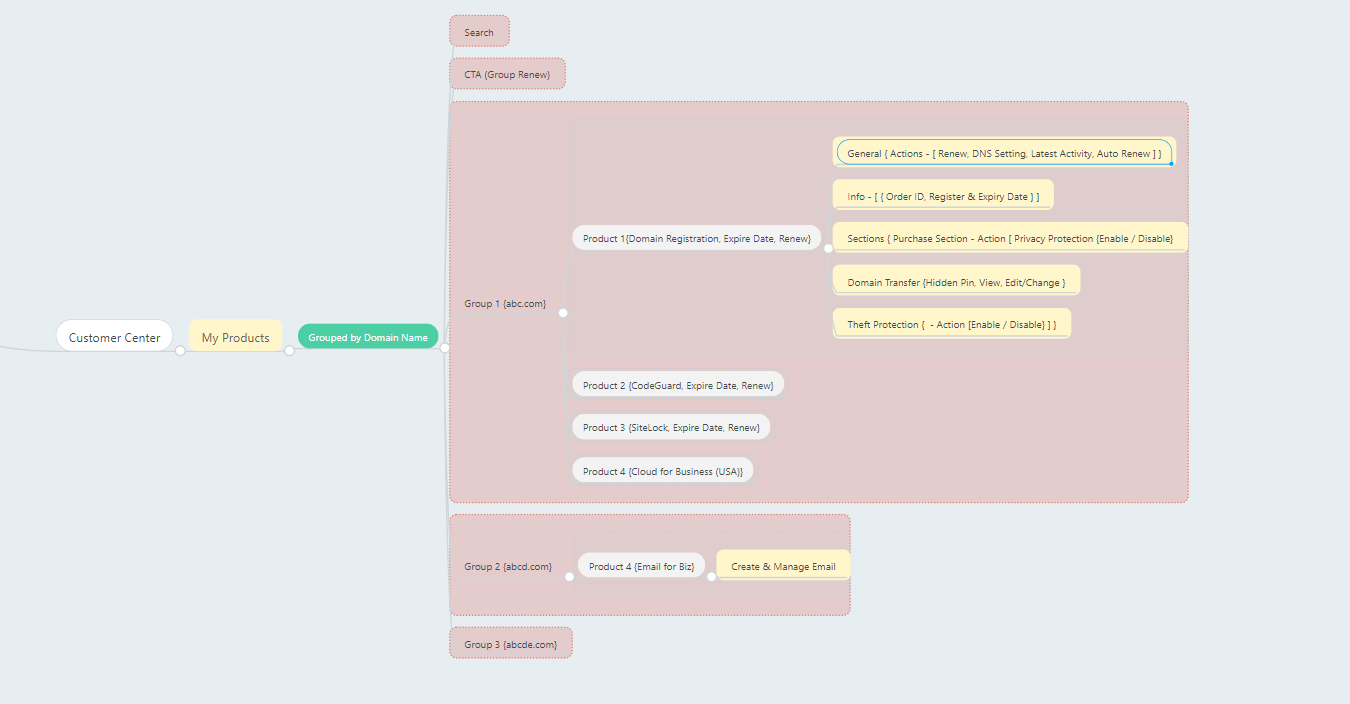
Initial Concept
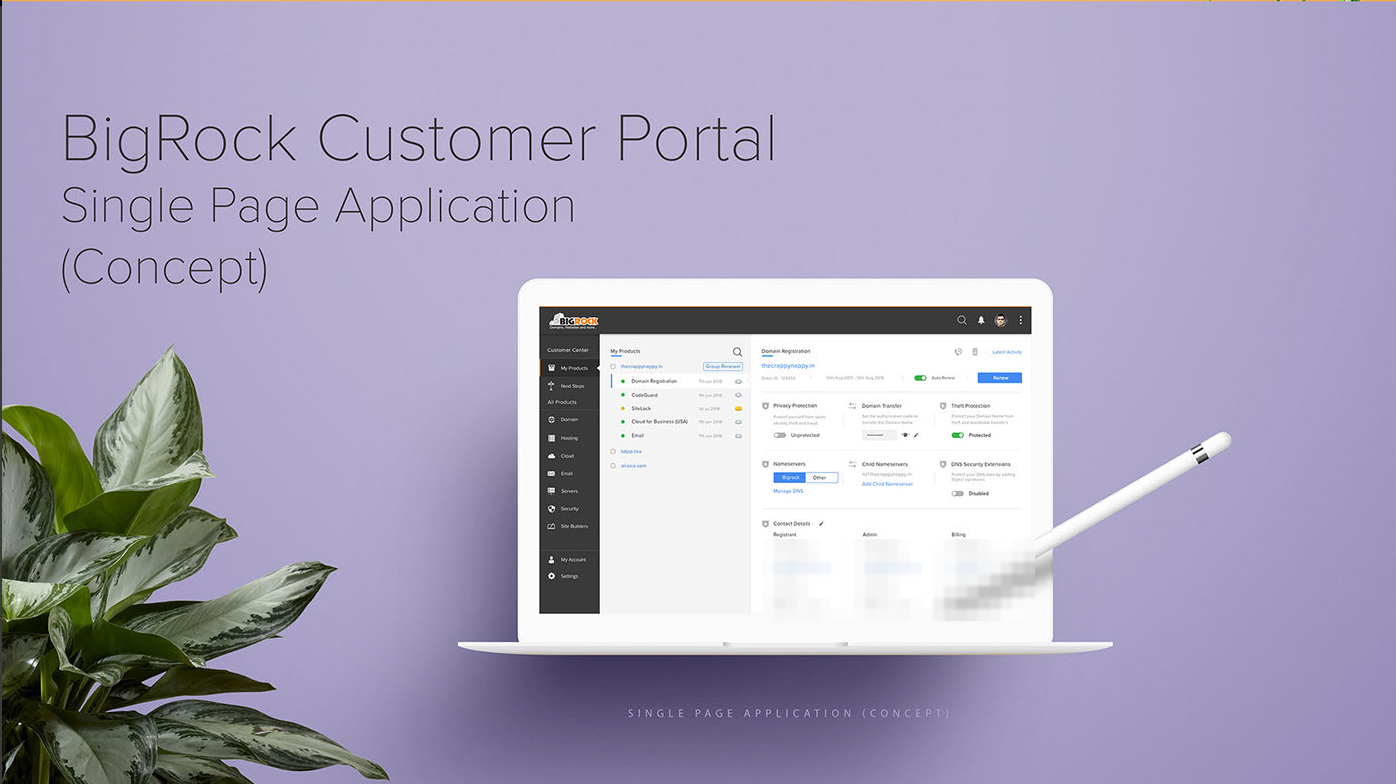
The Idea was to have ease of navigation. We achieved it with three column layout, First level is for the overall navigation, Second level Nav for the list of products, and Workspace to take any actions ( Payment, DNS/NS Management, Accessing all third party control panel, Creating a Ticket )
To start we proposed a single page app concept
- First level Navigation
- Second level Navigation
- Workspace
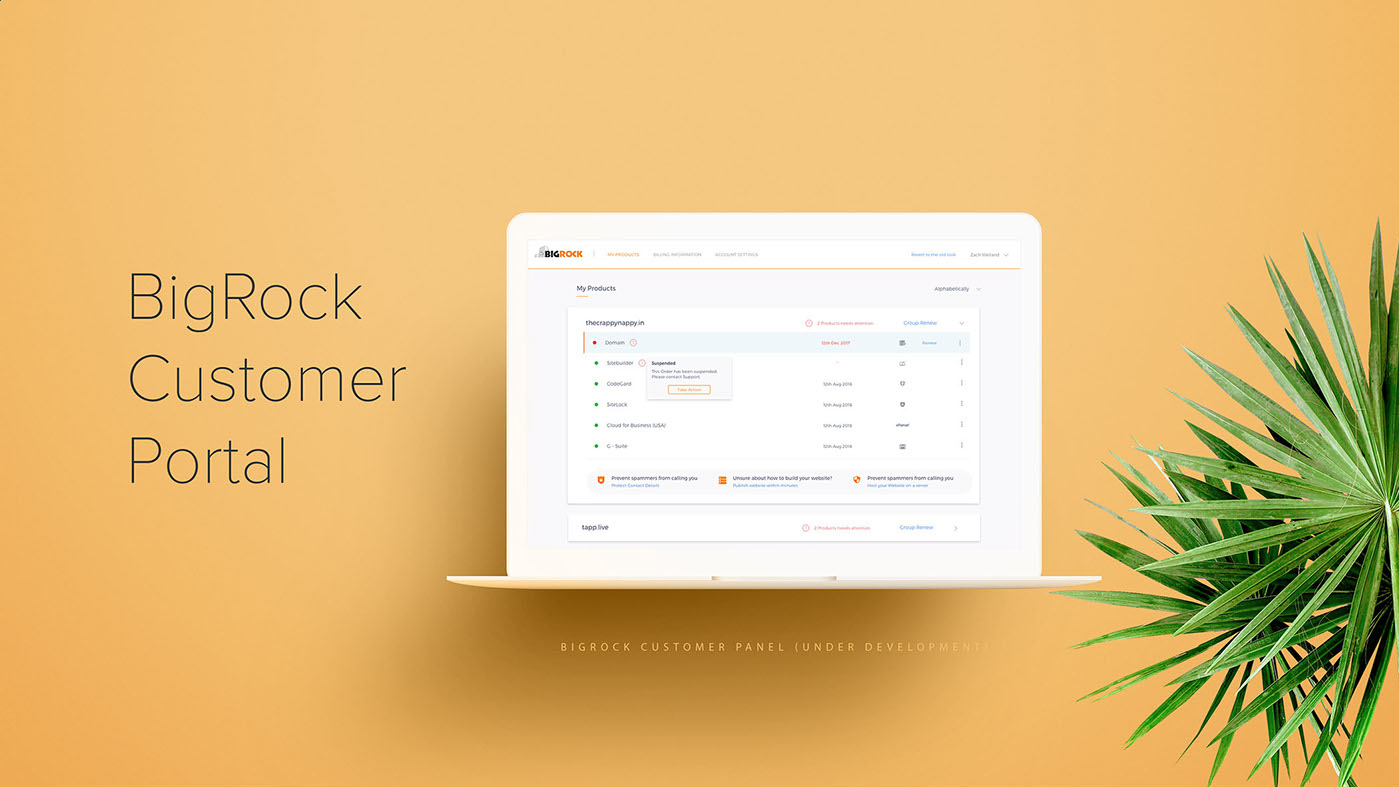
Iteration — Less is More
Introduced
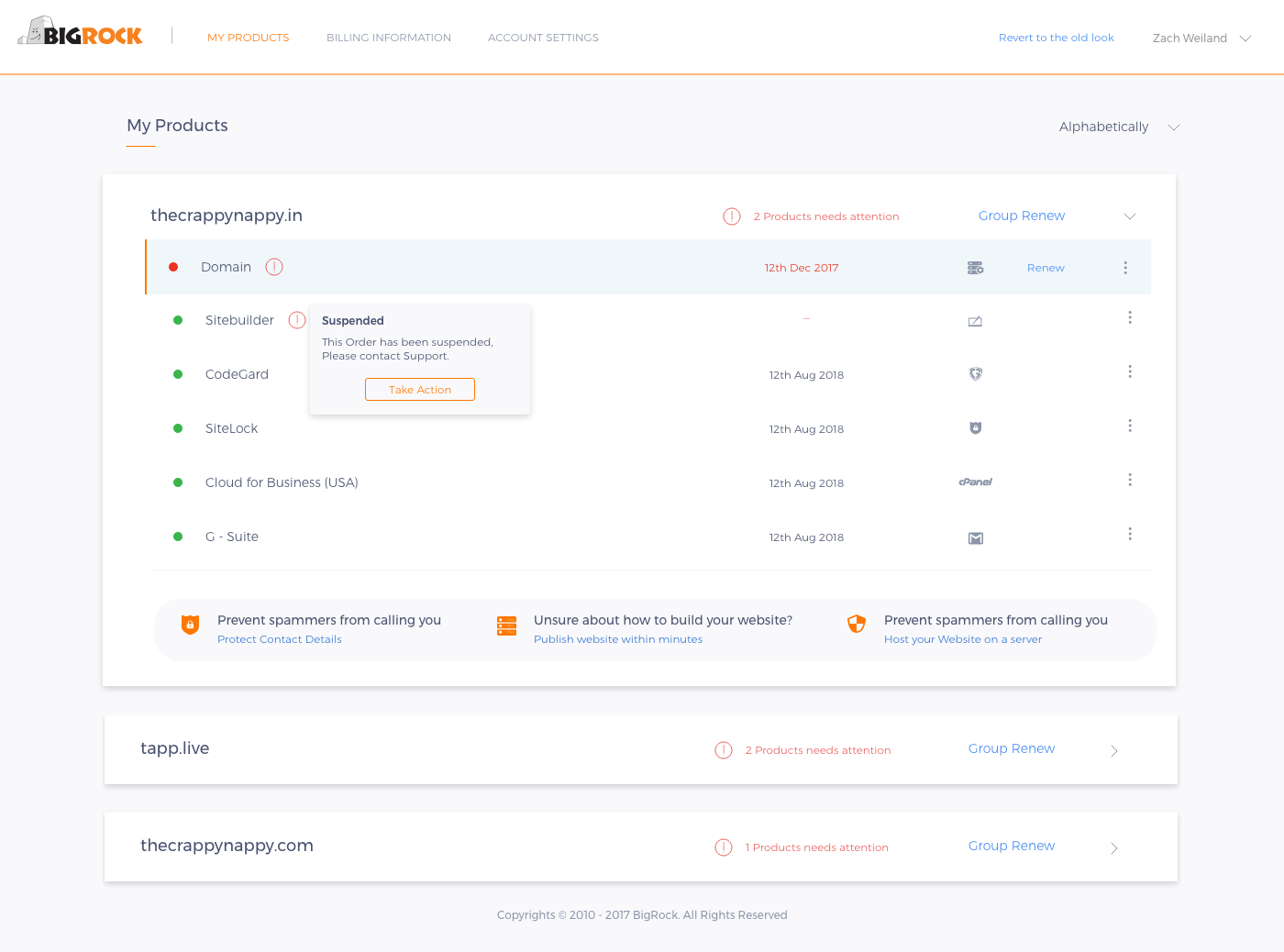
- Grouping
- Group Renew
- Renew from the First page
- Alert notifications for each product
- Links to open third party products
- CTA to take action on products
- Support links for each Product
- Cross Sell Opportunity ( Customized list )
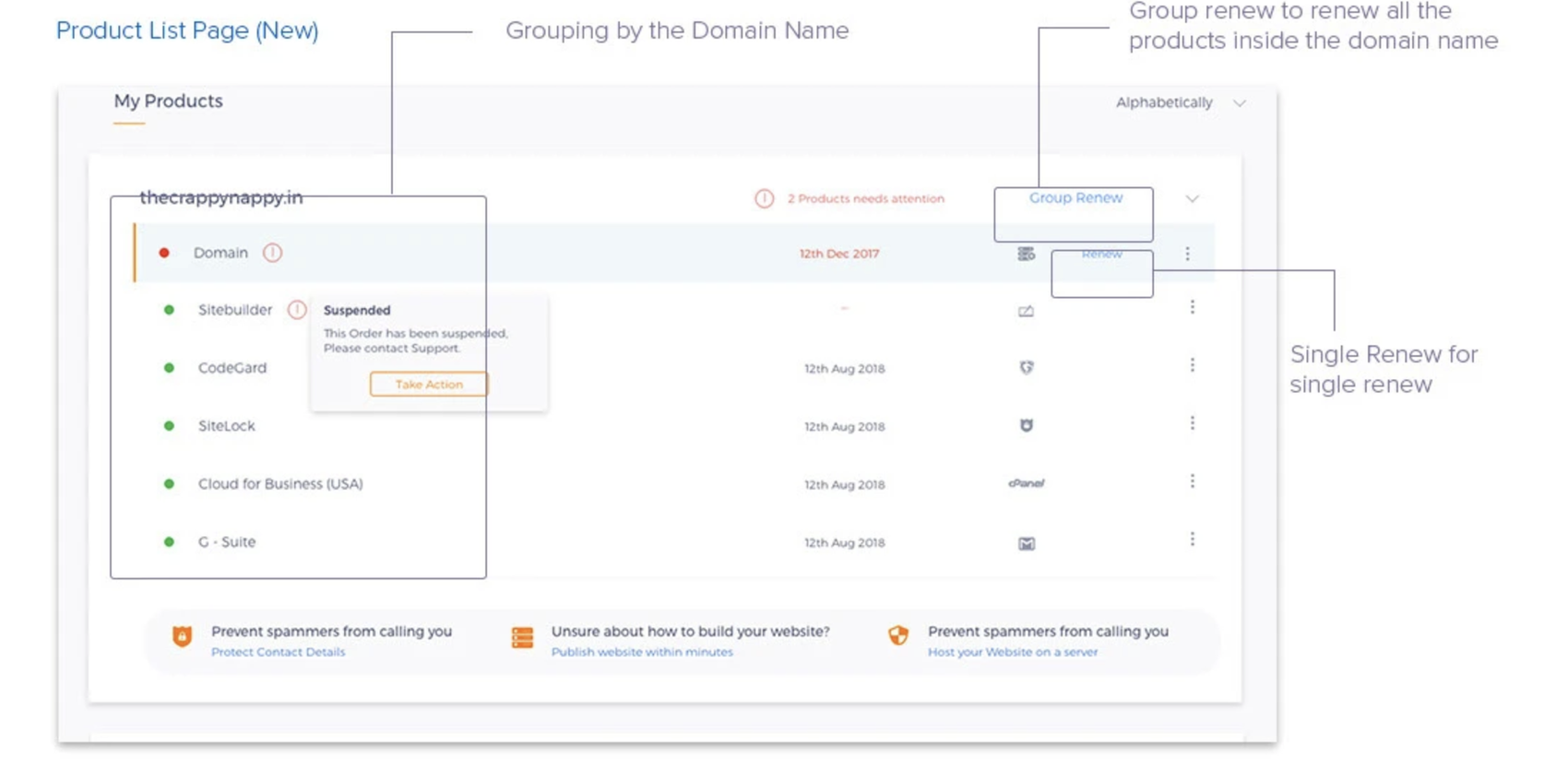
Product Grouping
- Product Grouping
- Group Renew
- Single Product Renew
- Products Under a Group
- Attention Required
- CTA for Attention Required areas
- More Options (Support / Quick Action)
- Expiry Date
- Third Party Panel links
- DNS Management links
- Cross Sell Products
Solving the Top Two Findings
- ADifficulty in finding the product, as the Products are listed in a random order
- BDifficulties in renewal, users had to get each product to see if it had to be renewed.

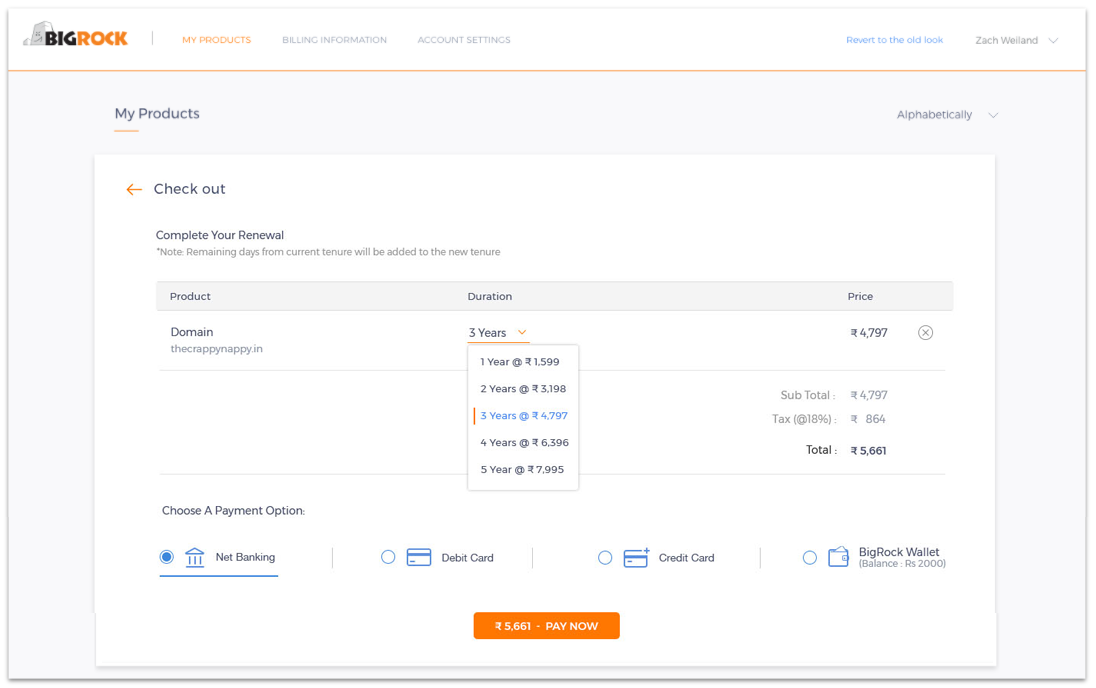
Existing Renew Flow
- View All Order
- Products
- Choose Tenure
- Upsell & Cross Sell
- Order Summary
- Select Payment Method and pay
Proposed Renew Flow
- Click Renew Next to the Product (or) Group renew to renew the entire Product
- Choose Tenure, View Order Summary, Select Payment Method and pay in a single step
Solving the Third Findings
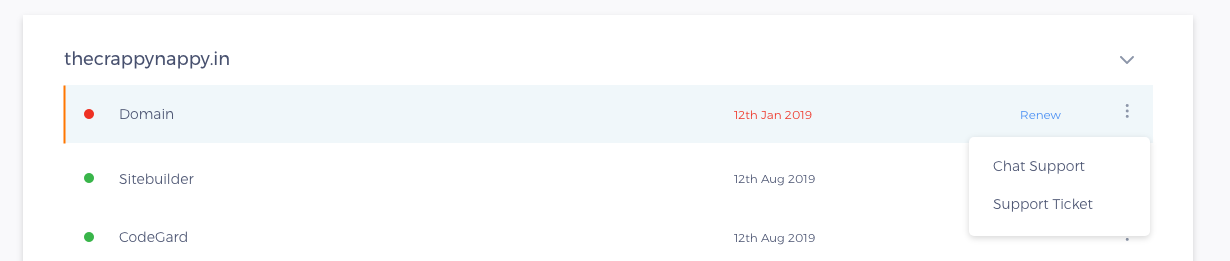
III. Difficulties in creating a ticket. If a user had to create a ticket, he/she had to navigate three pages.
Solving the Fourth Findings
IV. DNS was the biggest problem as users were naive and did not know what the various records were ( A / AAAA / CNAME / NS ), where to change and where not to change.
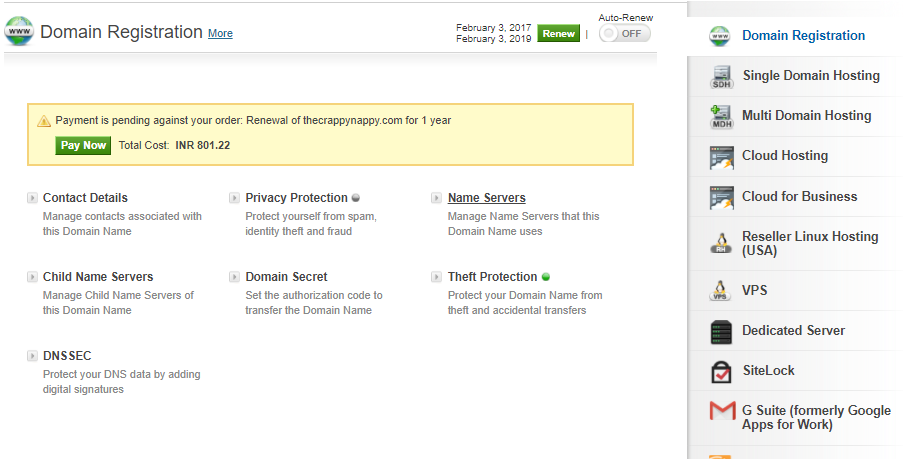
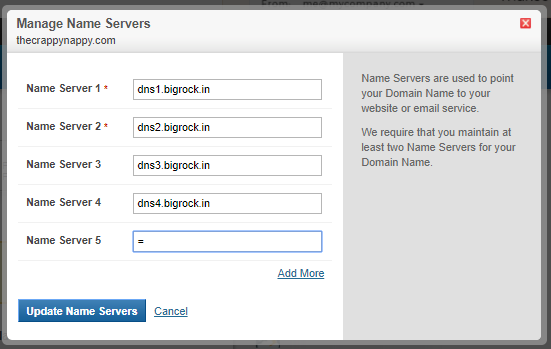
Change Name Server (Old)
- ASelect Name server under Domain Registration.
- BChange name server in for both BigRock name server and third party name server in the same place
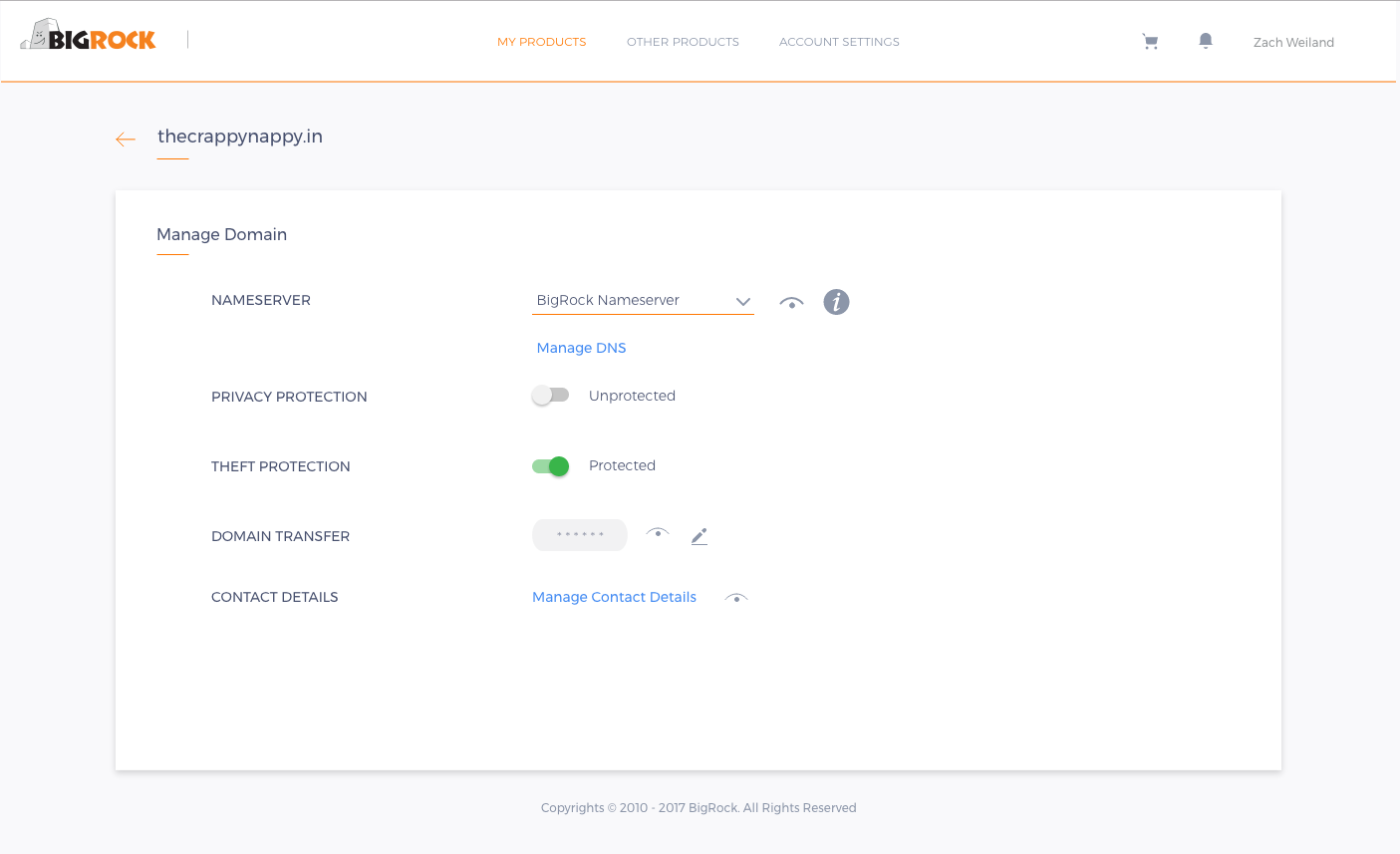
Change Name Server (New)
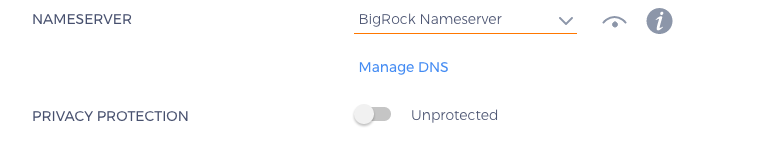
- ASelect BigRock Name Server if the server is with BigRock else Choose Custom Name Server from the drop down
- BAdding Custom Name Server
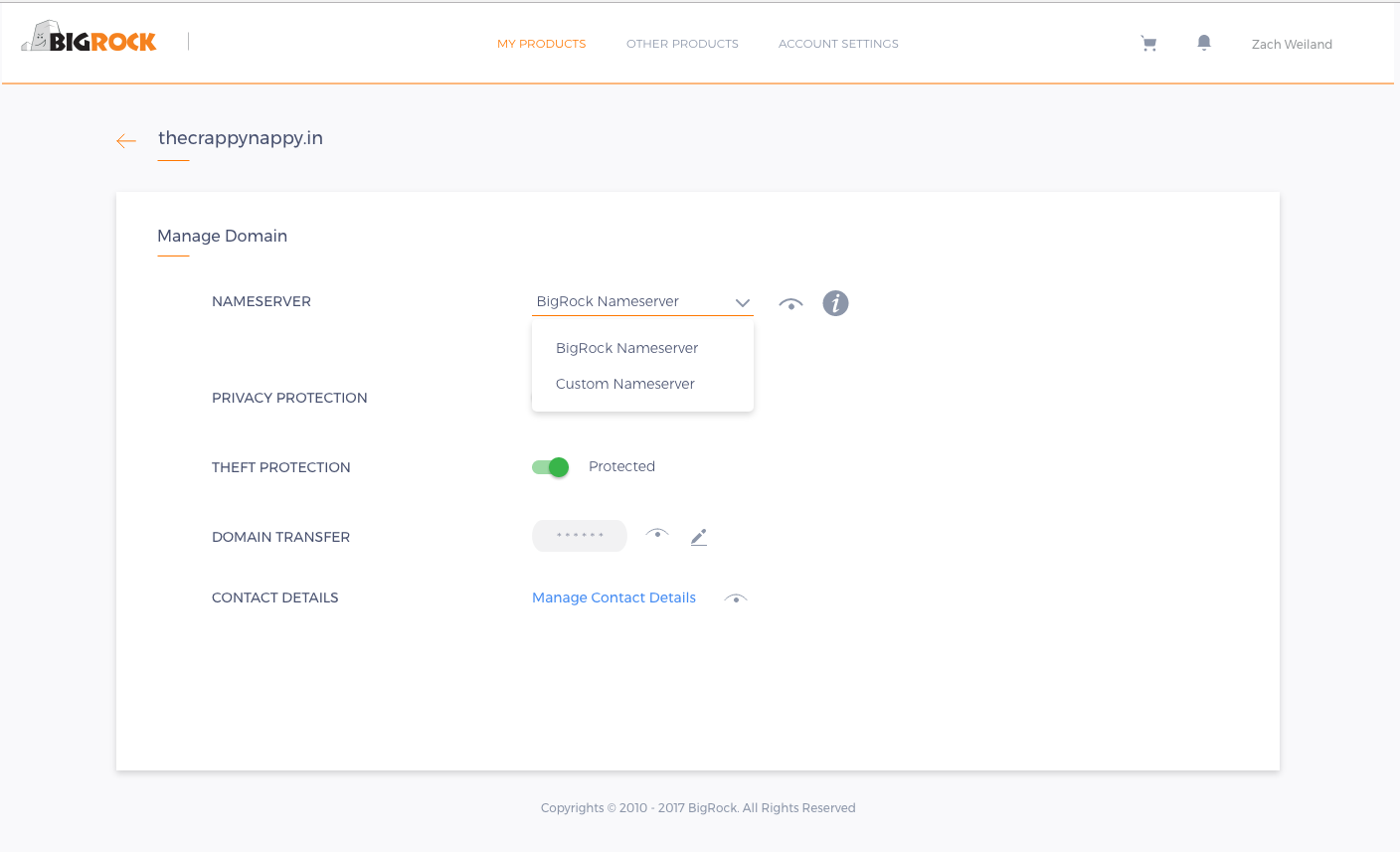
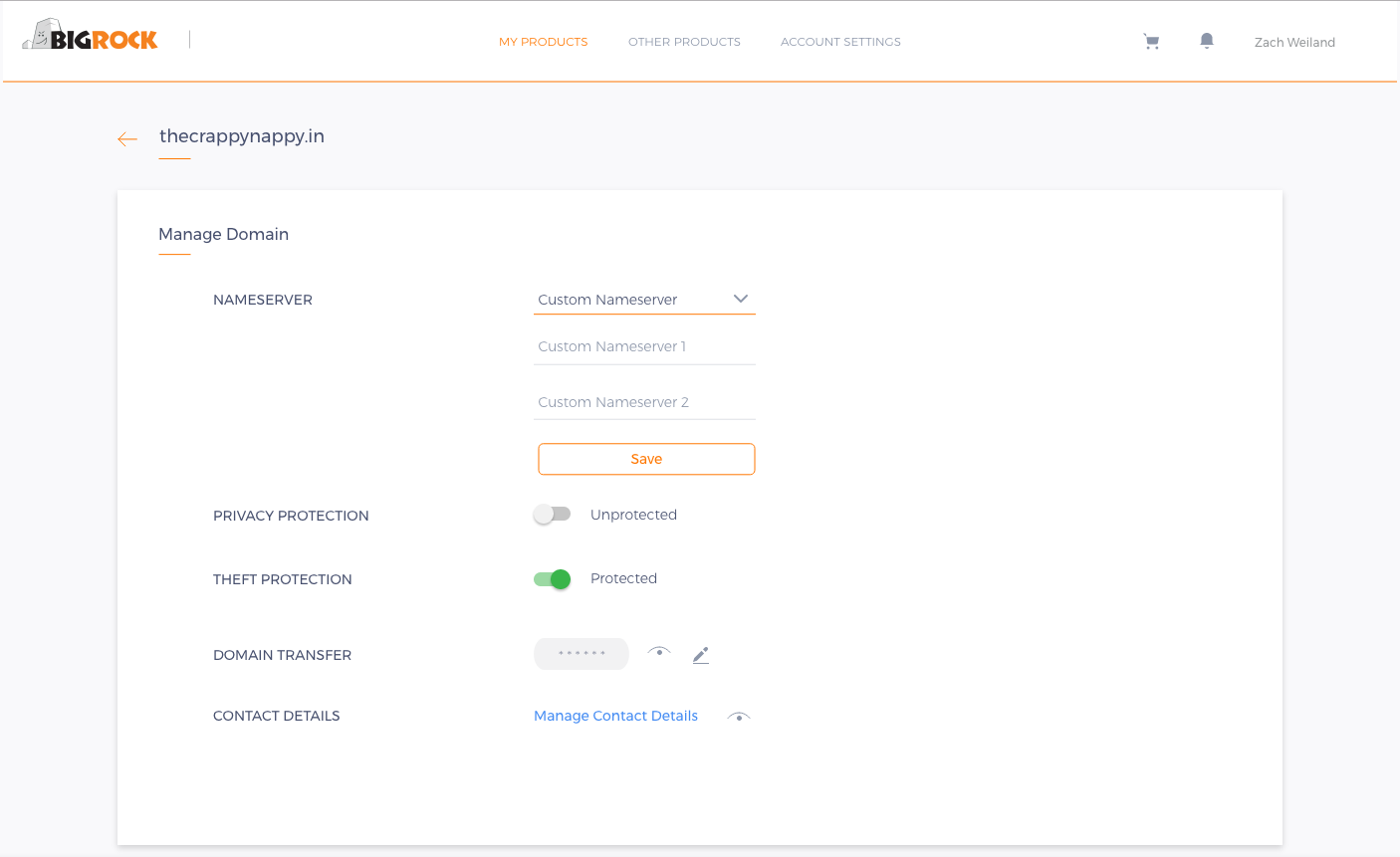
BigRock Name server will be the default option and will point to any server that user has purchased. If not will point to ns.bigrock.in.
By letting the User Choose the Name Server, makes it clear on entering the Custom Name Server or vice versa. This simple option made a huge difference for a naive user
Change DNS (Old)
- AManage DNS is a separate section at the Bottom of the page, has no relation to the product.
- BDNS Opens in a popup
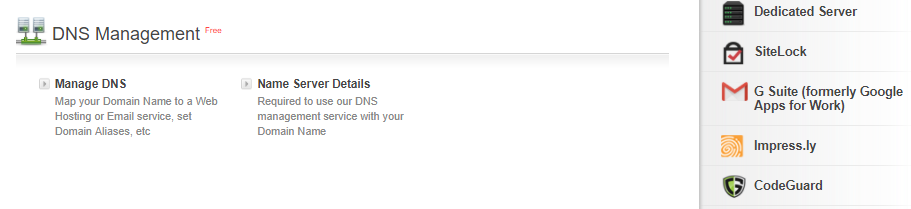
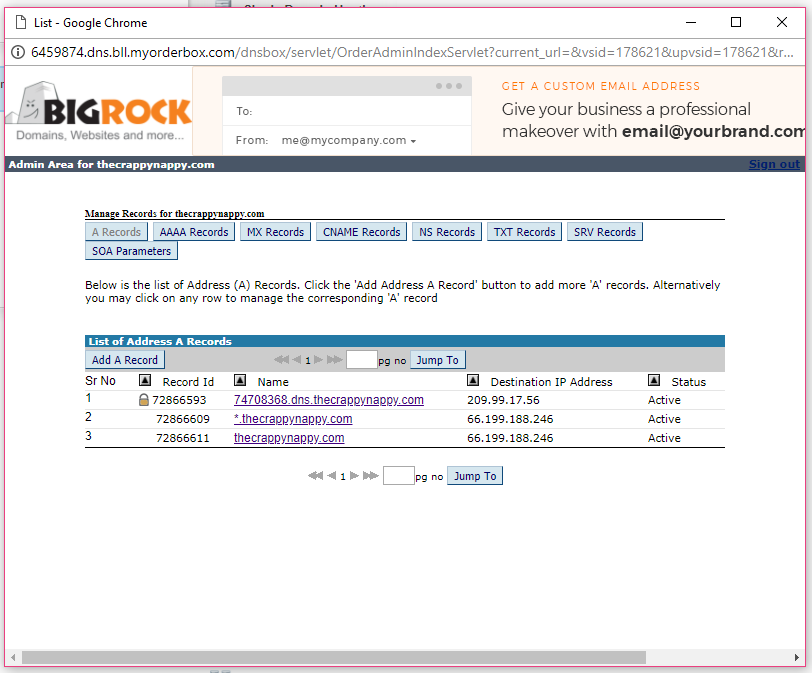
BigRock Users had Problem Understanding the type of records and what they actually do, No proper grouping everything is in separate tabs
Change Manage DNS (New)
- AManage DNS will be enabled only when the server is Owned by BigRock NameServer
- BSimple DNS Management for a Naive User & Advance DNS for expert Users
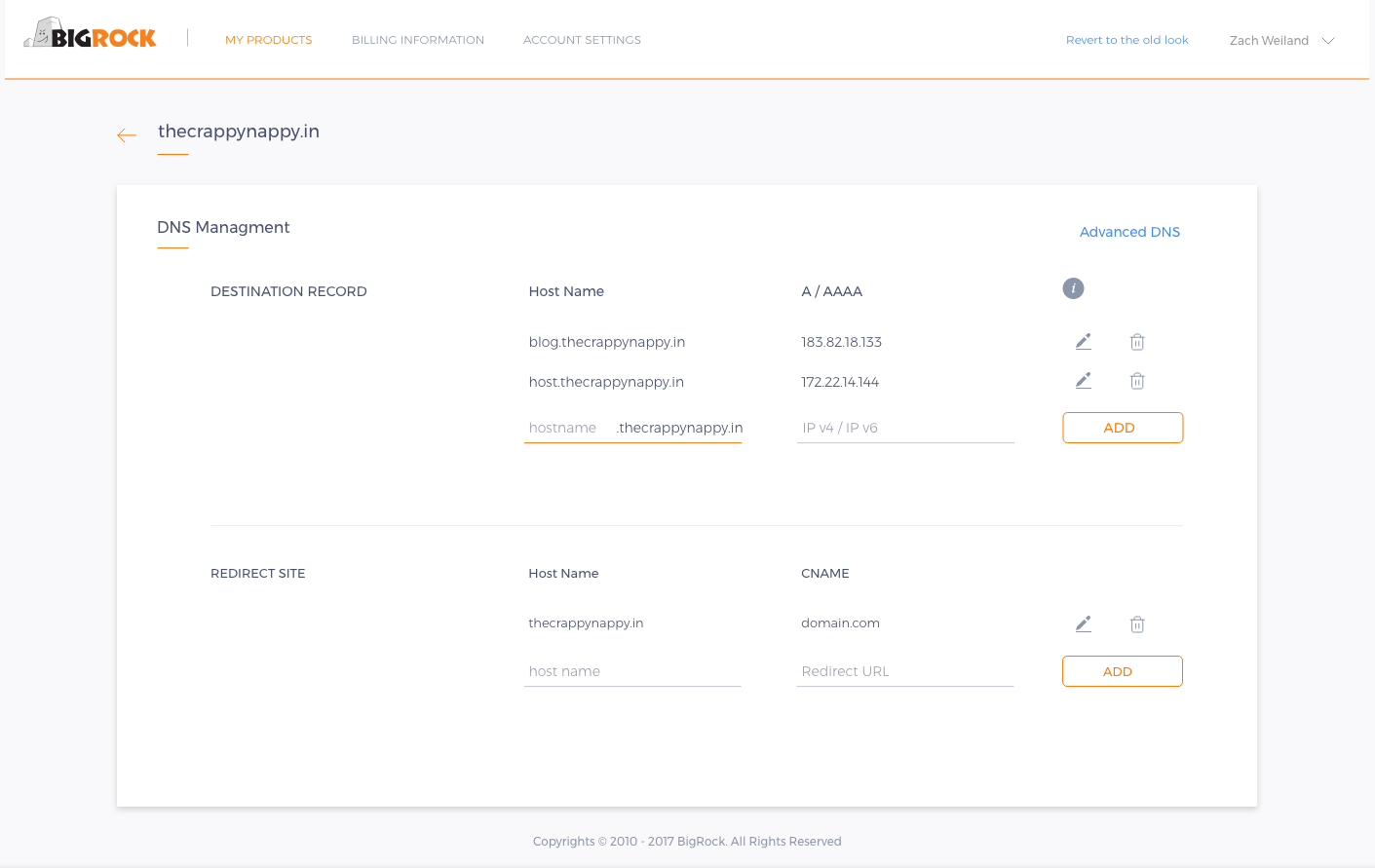
Destination (all Pointer) Record to handle “A / AAAA / CNAME / NS” and Site Redirect for Url Redirect specifically for naive users,
If the server is with third party service provider, then the DNS will be handled by their Control Panel
Advance DNS (New)
- ASingle Point entry for all kind of records
- BValues are Grouped Based on the host name
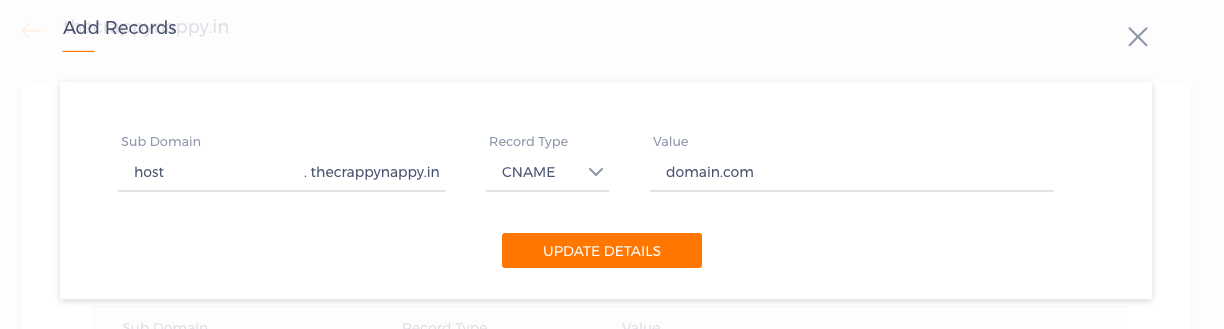
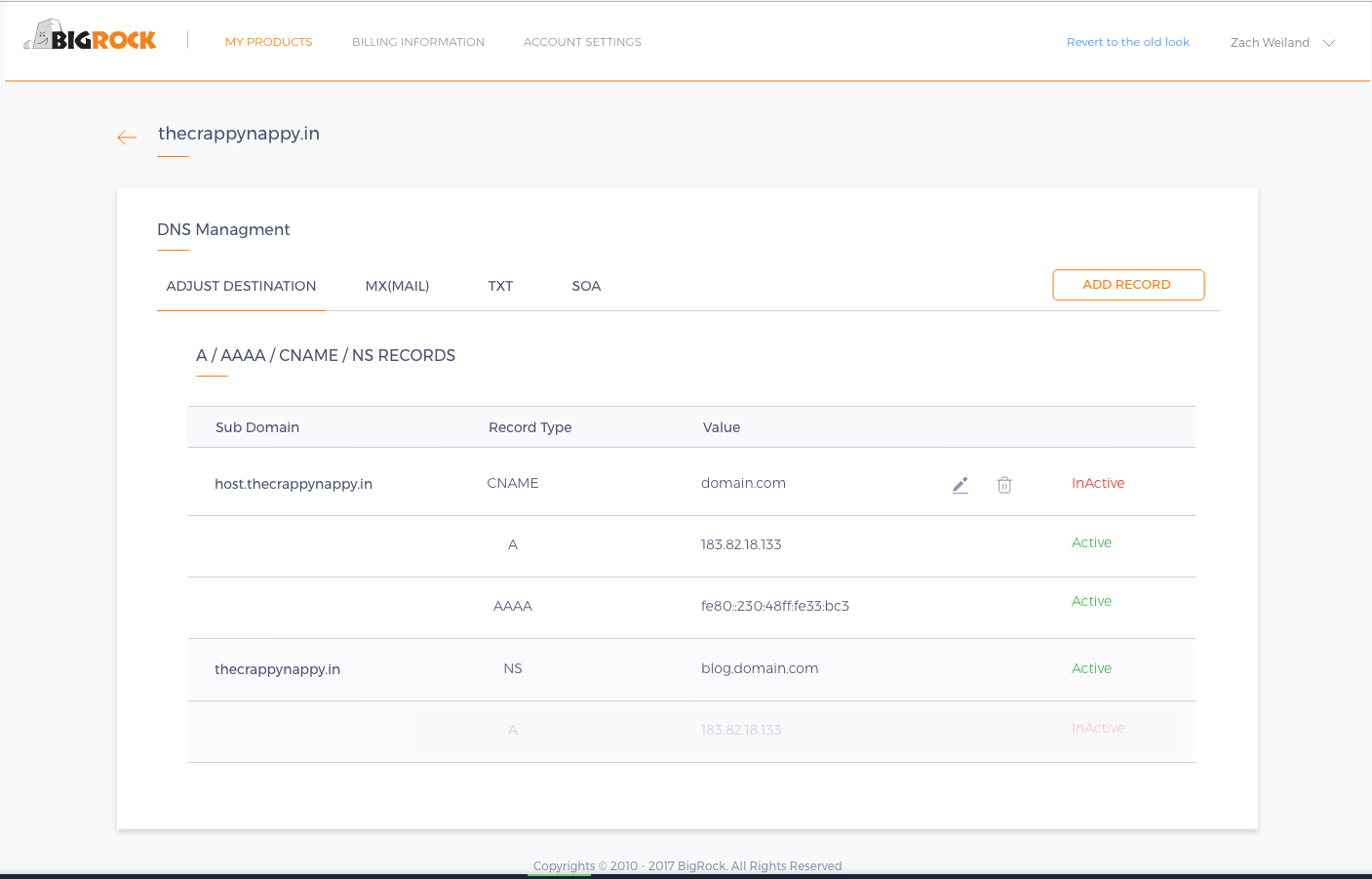
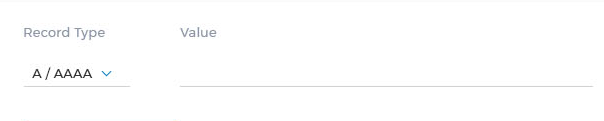
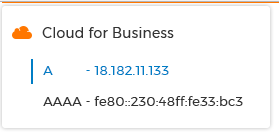
Users just have to choose the Record as we will have all the records fetched
CNAME Record will nullify “A / AAAA” Record and NS will nullify “CNAME / A / AAAA” Records
Manage Domain
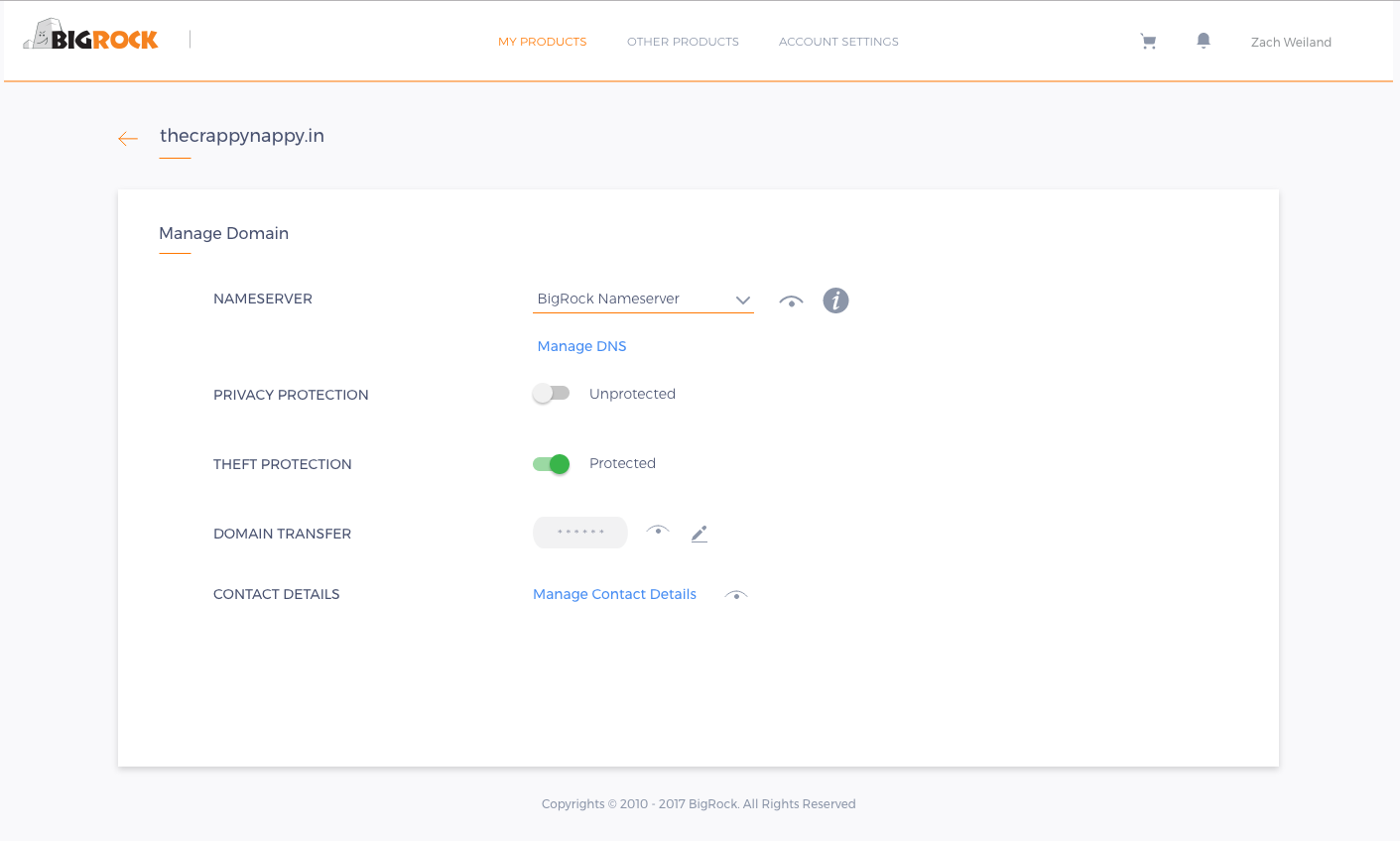
- Choose BigRock / Custom Name Server
- Manage DNS only for native NS
- Information for more details
- Switch ON / OFF Privacy Protection
- ON/OFF Theft Protection
- View Security Pin for Domain Transfer
- Edit Contact Details
The Impact
The redesign of the Order Box on web / Mobile has had a positive impact on the conversion of renewals and has made DNS management easy at the time of writing (2 months since phase-1 launch). However, Support contact rate has been significantly decreased which means users are able to fix the problems independently.
I believe this to be a behavior change that will emerge over a longer period of time.
For confidentiality reasons I have omitted values for metrics. I have chosen only a few problem areas in this case study. All views expressed here are my own, and do not necessarily reflect those of BigRock.
The short version of this case study sits alongside the other one, on building a UX practice.
Back to the summary Case study 01 — Designing the Shift